HTTP Call Node
Overview
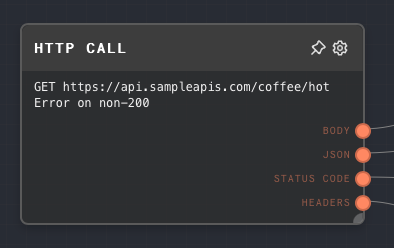
The HTTP Call Node allows you to make an HTTP call to a specified URL with a given method, headers, and body. This node is particularly useful when you need to interact with external APIs or services.
The HTTP Call Node uses the Fetch API to make HTTP requests. It supports all HTTP methods (GET, POST, PUT, DELETE, etc.) and allows you to specify custom headers and a request body.
When using the default browser executor, you have to worry about CORS when making HTTP requests to external APIs. If the API you are trying to call does not support CORS to http://tauri.local (most do not), you will run into CORS problems. This can manifest as an error fetch failed in the output panel.
This can be worked around by using the Node executor in Rivet, which does not do CORS checks.
- Inputs
- Outputs
- Editor Settings
Inputs
The HTTP call node only has inputs when the Editor Settings are set to use input toggles. See that section for more information.
Outputs
| Title | Data Type | Description | Notes |
|---|---|---|---|
| Body | string | The body of the HTTP response. | Hidden when Binary Output is enabled. |
| Parsed JSON | object | Parsed response body when the response content type is JSON. | Excluded when the response is not JSON. Hidden when Binary Output is enabled. |
| Binary | binary | Raw response bytes. | Available when Binary Output is enabled. |
| Status Code | number or number[] | The HTTP status code. | When Retry on non-200 is enabled, this becomes one status code per attempt. |
| Headers | object | The headers of the HTTP response. | |
| Request failed | boolean or boolean[] | Whether the request attempt failed. | Available when Catch all request failures or Retry on non-200 is enabled. Retry mode returns one value per attempt. |
| Request error | string or string[] | Error text for failed attempts. | Available when Catch all request failures or Retry on non-200 is enabled. Retry mode returns one value per failed attempt. |
Editor Settings
| Setting | Description | Default Value | Use Input Toggle | Input Data Type |
|---|---|---|---|---|
| Method | The HTTP method to use for the request (GET, POST, PUT, DELETE, etc.). | GET | Yes | string |
| URL | The URL to make the HTTP request to. | (empty) | Yes | string |
| Headers | An object representing the headers to include in the HTTP request. | (empty) | Yes | object |
| Body | The body of the HTTP request. If you need a JSON body, use the To JSON node or provide an object through the Body input port. | (empty) | Yes | string |
| Retry on non-200 | Repeats the request when the status code is not 200. | Off | No | N/A |
| Repeat times | Number of repeats after the initial request. | 1 | No | N/A |
| Cooldown, ms | Milliseconds to wait between repeats. | 0 | No | N/A |
| Binary Output | Reads the response as bytes and exposes the Binary output instead of Body/Parsed JSON. | Off | No | N/A |
| Fail on non-2XX status code | If enabled, the node errors when the final response is not in the 2XX range. | On | No | N/A |
| Catch all request failures | If enabled, request failures are returned through Request failed and Request error instead of throwing. | Off | No | N/A |
Example 1: Make a GET request to an API
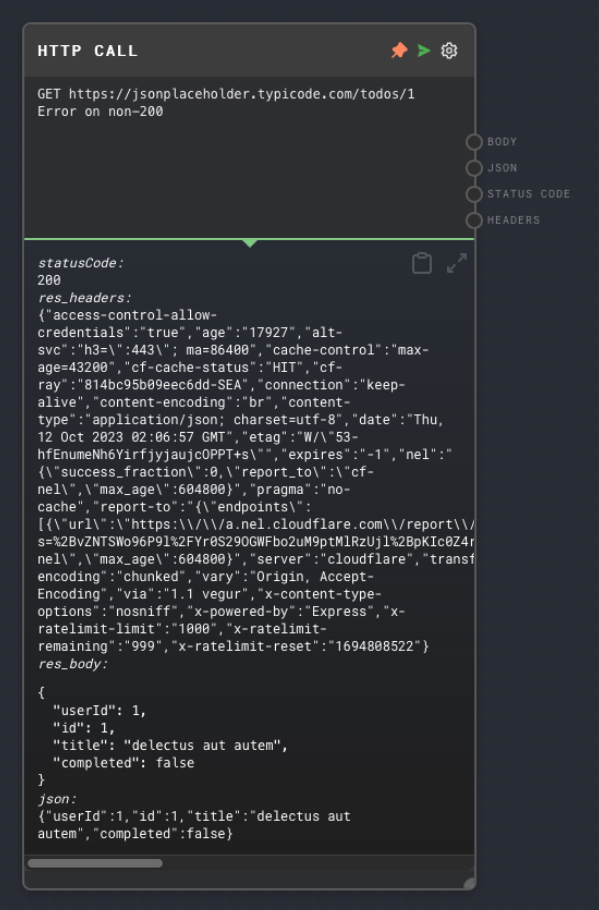
- Create an HTTP Call Node and set the
MethodtoGETand theURLtohttps://jsonplaceholder.typicode.com/todos/1. - Run the graph. You should see all of the response data, such as the headers, response code, and body, in the output panel.
Example 2: Make a POST request to an API
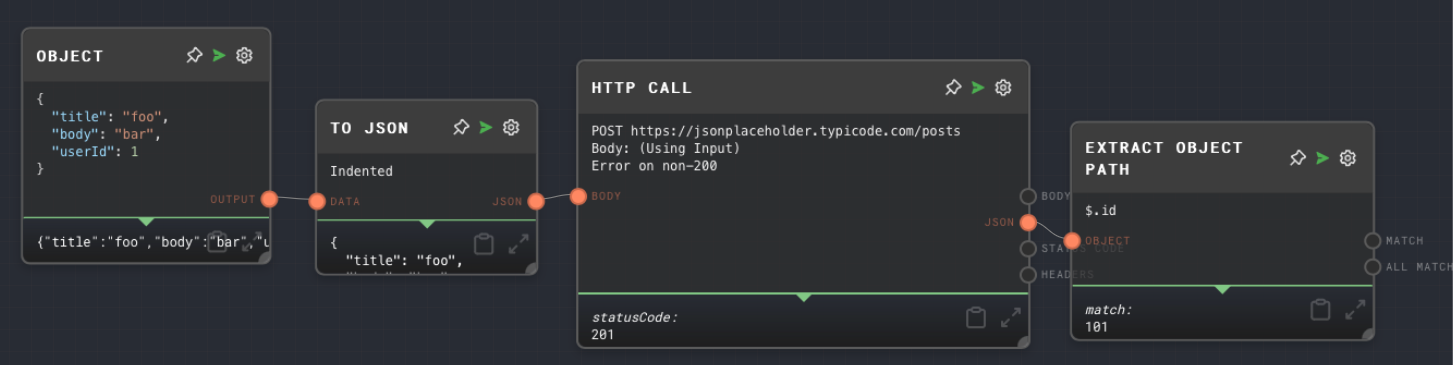
- Create an HTTP Call Node and set the
MethodtoPOSTand theURLtohttps://jsonplaceholder.typicode.com/posts. Enable the "Use Input" toggle on the "Body" setting to enable the input port for Body. - Create an Object Node and set the object to:
{
  "title": "foo",
  "body": "bar",
  "userId": 1
}
- Create a To JSON Node and connect the Object Node to the
Datainput of the To JSON Node. Connect the To JSON Node to theBodyinput of the HTTP Call Node. - Create an Extract Object Path Node and connect the
JSONoutput of the HTTP Call Node to theObjectinput of the Extract Object Path Node. Set thePathto$.id. - Run the graph. You should see the created ID of the post in the Extract Object Path Node's output panel.
Error Handling
The HTTP Call Node errors when the request throws, the URL is invalid, or the final response violates Fail on non-2XX status code.
Enable Catch all request failures when you want failures to flow through node outputs instead of stopping the graph. The node will output Request failed as true and Request error as readable error text.
Enable Retry on non-200 when you want Rivet to repeat responses whose status code is not 200. Retry mode changes the existing Status Code, Request failed, and Request error outputs to arrays. Rivet does not create extra ad-hoc retry outputs; downstream nodes should read those same output ports.
FAQ
Q: Can I use the HTTP Call Node to make requests to any API?
A: Yes, you can use the HTTP Call Node to make requests to any API that supports the HTTP methods GET, POST, PUT, or DELETE.
Q: Can I use the HTTP Call Node to send JSON in the request body?
A: Yes, you can use a Text Node to create a JSON string and connect it to the Body input of the HTTP Call Node.
Q: Can I use the HTTP Call Node to handle API authentication?
A: Yes, you can include authentication headers in the Headers input of the HTTP Call Node. However, for security reasons, you should not hardcode sensitive information like API keys in your graphs. Instead, consider using a Context Node to securely pass in sensitive information from the host application.