Extract JSON Node
Overview
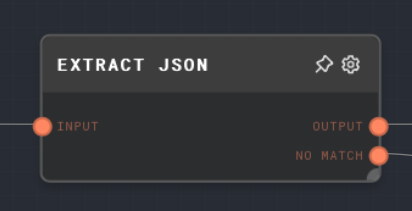
The Extract JSON node lets you extract structured JSON from a string containing a JSON object or array. Data outside of the JSON object or array will be ignored. If the input is already an object or array value, the node passes it through unchanged.
Extract JSON is very useful to extract structured data from LLM responses. Ask the LLM to reply with a JSON object, and then use Extract JSON to extract that data from its response, ignoring any text around the JSON object.
Algorithm
When the input is a string, the node finds the first instance of { or [, and the last instance of } or ] in the string. It then extracts the substring between those two points, and attempts to parse it as JSON. When the input is already an object or array value, the node skips parsing and sends that value to Output.
This process is not iterative at the moment, so if parsing fails because the text contains, for example, two JSON objects with text in between, the No Match output runs with the original input text. Use this node when you are sure that the string contains only one JSON object or array.
- Inputs
- Outputs
- Editor Settings
Inputs
| Title | Data Type | Description | Default Value | Notes |
|---|---|---|---|---|
| Input | any | The string to parse, or an object/array value that should pass through. | (required) | Non-string scalar values are not parsed as JSON. |
Outputs
| Title | Data Type | Description | Notes |
|---|---|---|---|
| Output | object | The parsed JSON value, or the original object/array input when the input is already structured. | If there was no object or array found in the input string, then this port will not be ran. |
| No Match | string | If there was no object or array found in the input text, then this port will run with the full input string. | If JSON was parsed or structured input was passed through, this port will not be ran. |
Editor Settings
This node has no configurable editor settings.
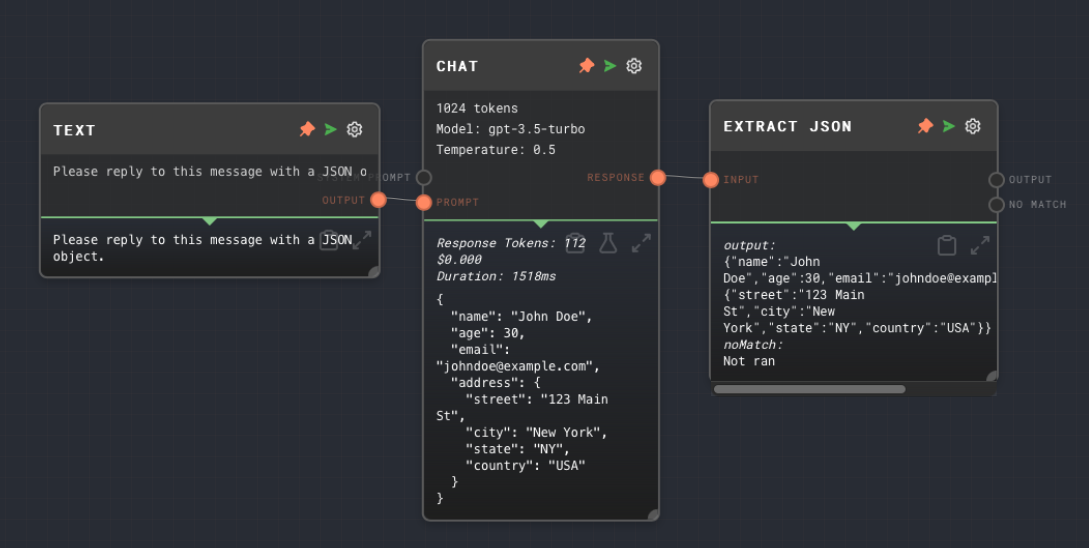
Example 1: Extract a JSON object from an LLM response
- Create a Text Node, and ask the LLM to reply with JSON:
Please reply to this message with a JSON object. - Create an LLM Chat Node, and connect the Text node to its
Promptinput. - Create an Extract JSON node, and connect the LLM Chat node's
Responseoutput to itsInputinput. - Run the graph, and note that you see the JSON object that you replied with in the Extract JSON node's output. The
No Matchoutput is not ran, because there was a match.
Error Handling
This node cannot error under normal string/object circumstances. If a string input fails to extract JSON, then the No Match output will be executed instead of the Output output.
FAQ
Q: What if the string contains more than one JSON object?
A: The node will send the original string to No Match. Use this node when you are sure that the string contains only one JSON object or array. For more complex use-cases, you may want to use a Code Node to parse the string in a custom way.
Q: What if I just want to call JSON.parse()?
A: You can use a Code Node that simply calls JSON.parse() on the input string.